Dual Head Display Dell Inspiron 1525 Ubuntu
One of the few things that Linux hasn’t done well is allowing the user to add or change monitors.
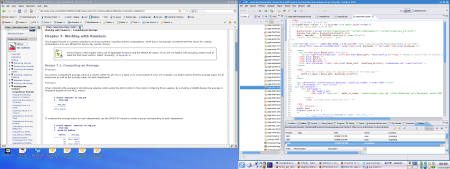
It looks like this is changing with the new utility xrandr.
I haven’t fine tuned this yet (or even tested it much) but I do have a dual head display - with the virtual screen spanning two displays.
I’ll come back and document this properly - but for now here’s what I did.
First I created this xorg.conf file.
Section "ServerLayout"
Identifier "dual head configuration"
Screen 0 "Screen0" 0 0
InputDevice "Keyboard0" "CoreKeyboard"
EndSection

Section "InputDevice"
Identifier "Keyboard0"
Driver "kbd"
Option "XkbModel" "pc105"
Option "XkbLayout" "gb"
EndSection

Section "Device"
Identifier "Videocard0"
Driver "intel"
Option "monitor-VGA" "vga"
Option "monitor-LVDS" "lvds"
EndSection

Section "Monitor"
Identifier "lvds"
Option "Position" "2560 0"
EndSection

Section "Monitor"
Identifier "vga"
Option "RightOf" "lvds"
EndSection

Section "Screen"
Identifier "Screen0"
Device "Videocard0"
DefaultDepth 16
SubSection "Display"
Viewport 0 0
Depth 16
Modes "2560x1600"
Virtual 5120 1600
EndSubSection
EndSection
Then I restarted my X-windows session and at the console (as a normal user) I ran:
xrandr --output LVDS --mode 1440x900
xrandr --output LVDS --left-of VGA
And now it works :-)